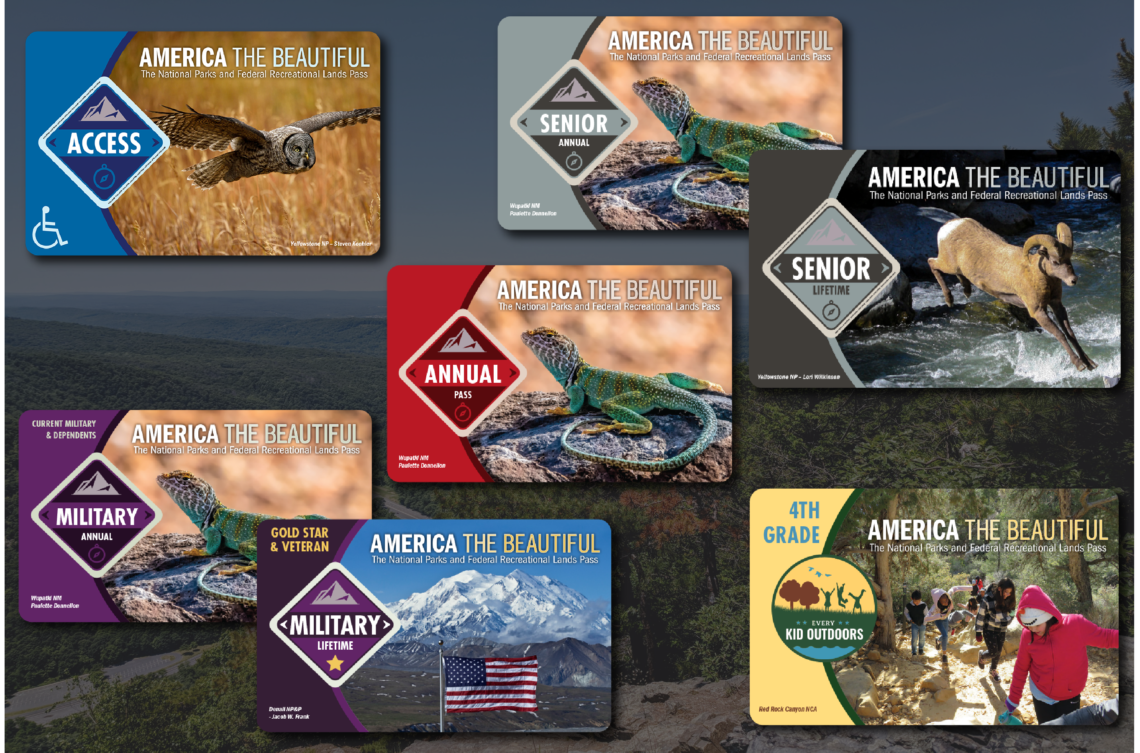
In 2026, the National Park Service (NPS) is rolling out a modernized, digital version of the America the Beautiful pass — the annual interagency pass for access to national parks and other federal recreation sites. This means you can buy, store, and show your pass on your phone — no waiting for a physical card in the mail.
Here’s exactly how to use it in 2026, whether you’re visiting Yosemite, Yellowstone, the Grand Canyon, or other fee-charging parks and recreation areas.
📱 1. Buy Your Digital Pass Online
-
Go to Recreation.gov – Passes section.
-
Choose your pass type (Annual, Military, Senior, 4th Grade, Access, etc.).
-
Complete payment and purchase.
-
After purchase, you’ll be able to download the digital pass to your mobile device immediately.
-
You can also link it to a physical card later if you want both formats.
-
💡 Why digital helps: You don’t need to wait for a mailed pass — perfect for spur-of-the-moment travel or late summer plans.
📲 2. Save It to Your Phone Wallet
Once purchased:
-
Save the pass to your mobile wallet (iPhone Wallet or Android equivalent).
-
You can also keep the PDF or pass inside the Recreation.gov app for quick access.
Tip: If your device offers offline storage (Wallet or app), do this before you leave home — some parks have weak cell service.
🚗 3. Show the Digital Pass at Park Entry
When you arrive at a park:
-
Present the digital pass on your phone to the ranger or at the automated entrance station.
-
Most parks can scan a QR code or barcode from your phone display.
-
If there’s no staffed entrance booth, some parks still require displaying the pass visually.
Tip: If the park is remote or has poor coverage, it’s wise to save the pass offline or take a screenshot ahead of time.
📍 4. Combine With Other Entry Options
In 2026 you can also:
-
Link the digital pass to a physical card if you want a backup and physical display.
-
Add multiple passes to your account (e.g., Senior + Annual) and choose which one to show at entry.
-
Keep a screenshot or a printed copy as backup if you worry about battery or cell issues.
🧭 5. Know What the Digital Pass Covers
The digital America the Beautiful pass generally covers:
✔ Entrance fees at most national parks and federal recreation sites.
✔ Day-use fees at many national forests and recreation areas.
✔ Entrance for the pass owner and passengers in a private vehicle (where per-vehicle fees apply).
The pass does NOT cover:
-
Camping fees
-
Special tours or concessions
-
Parking fees in some state parks (check local rules)
🪪 6. When You Still Need ID
Park staff may ask to see:
-
A photo ID that matches the name on the digital pass.
-
If you linked the pass to a physical card, showing both can speed entry at staffed gates.
Make sure your email confirmation and Recreation.gov account info match your ID.
⚠️ Important 2026 Pricing & Eligibility Notes*
Non-U.S. residents face new fee structures at some parks in 2026, and even if you have a digital pass, additional surcharge rules may apply at popular parks such as Yosemite, Yellowstone, and the Grand Canyon.
Keep documentation of your residency status ready if you’re using a pass with a discounted rate.
🪪 7. Digital Pass vs. Physical Pass
Digital first:
-
Buy and use instantly.
-
Great for spontaneous trips.
-
Easier entry at automated stations.
Physical card optional:
-
You can link a physical card to your digital pass if you want both.
-
Useful where phone battery or signal is an issue.
🧭 Quick Tips for 2026 Park Visits
📍 Download passes before travel — many parks have limited cell service.
📍 Screenshots help if your phone dies or mobile data fails.
📍 Have ID ready — ranger staff may verify pass ownership.
📍 Understand fee changes for non-residents in 2026 — extra charges may apply.
Bottom Line
Using the new NPS digital pass in 2026 is easy and traveler-friendly:
-
Buy online at Recreation.gov.
-
Store it on your phone wallet or NPS/Recreation.gov app.
-
Show it at park entry (and carry ID).
-
Optionally link a physical card if you want a backup.
This system helps you skip long entrance lines, start exploring faster, and enjoy more flexibility on your national parks adventure.