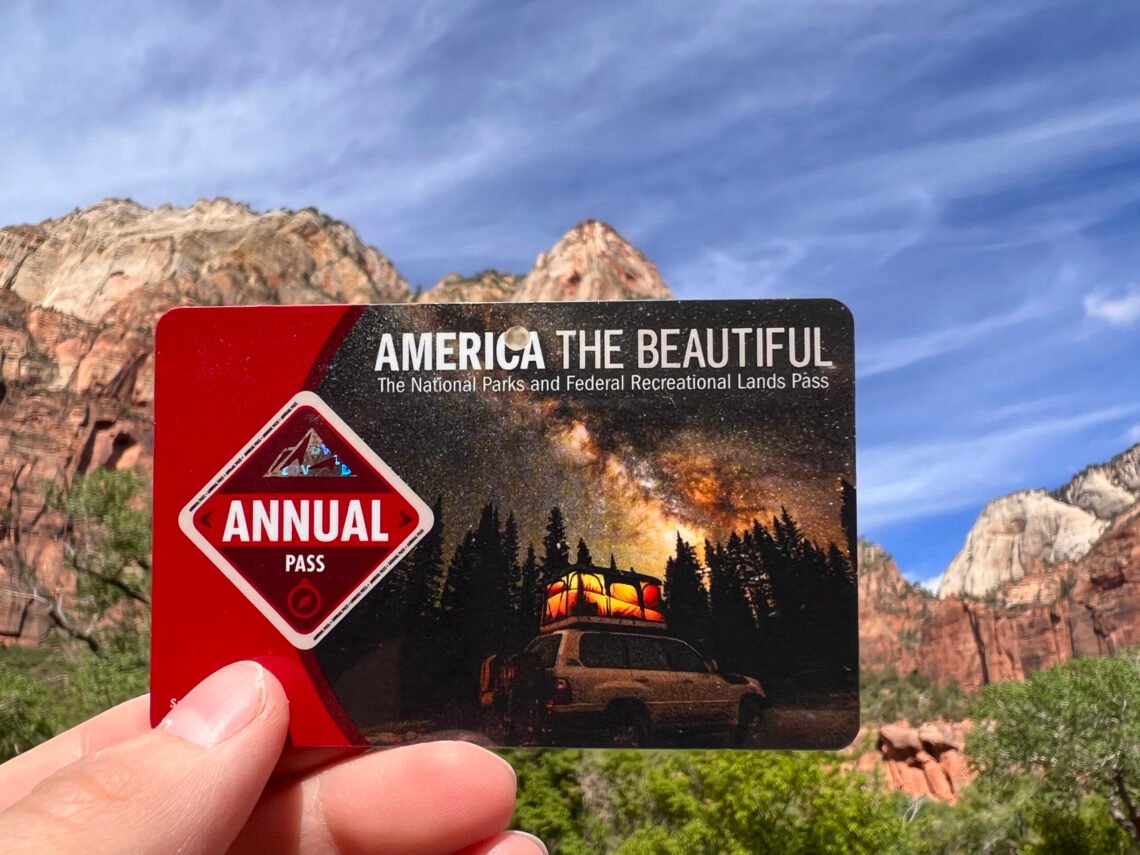
The 2026 NPS digital pass makes visiting U.S. national parks easier, faster, and more flexible than ever. Instead of carrying a physical card, travelers can now store their pass digitally on their phone and enter parks with a quick scan or visual check.
This simple guide explains how to use the 2026 NPS digital pass step by step, so you can avoid confusion at park entrances and enjoy a smooth start to your trip.
What Is the 2026 NPS Digital Pass?
The 2026 NPS digital pass is the mobile version of the America the Beautiful Pass, accepted at national parks and federal recreation lands across the United States.
It is managed by the National Park Service and works at:
-
National parks
-
National monuments
-
National seashores
-
National recreation areas
-
Federal lands that charge entrance fees
The digital pass carries the same benefits as the physical card, just without the wallet clutter.
Who Should Use the NPS Digital Pass?
The 2026 NPS digital pass is perfect for:
-
Road-trippers visiting multiple parks
-
Solo travelers and couples
-
Families entering by car
-
Travelers who forget physical cards
-
Anyone who prefers phone-based travel tools
If you’re planning more than two or three park visits in 2026, learning how to use the 2026 NPS digital pass can save time and money.
Step 1: Buy the 2026 NPS Digital Pass
You can purchase the digital pass online through official federal platforms.
What You’ll Need
-
Smartphone (iPhone or Android)
-
Email address
-
Valid payment method
-
Government-issued photo ID (for entrance checks)
Once purchased, the pass is linked to your name — not your vehicle.
Step 2: Add the Pass to Your Phone
After purchase, you’ll receive a confirmation email with instructions.
Best Ways to Store the Pass
-
Add it to Apple Wallet or Google Wallet
-
Save the PDF offline
-
Screenshot the pass (recommended for low-signal areas)
Many parks have limited cell service, so offline access is critical when learning how to use the 2026 NPS digital pass.
Step 3: Download the Official NPS App (Optional but Smart)
The official National Park Service App is not required, but it makes your trip easier.
Inside the app, you can:
-
Store your digital pass
-
View park maps offline
-
Check alerts and closures
-
Find visitor centers and restrooms
This app pairs perfectly with the 2026 NPS digital pass for first-time visitors.
Step 4: Entering a National Park With the Digital Pass
This is where most travelers get nervous — but it’s simple.
At a Staffed Entrance Station
-
Open your digital pass on your phone
-
Show it to the ranger
-
Present your photo ID if asked
-
Receive your entry receipt or windshield slip
Rangers are trained to accept the digital version.
At Unstaffed or Self-Pay Entrances
-
Follow posted instructions
-
Display the digital pass if required
-
Some locations only require possession, not scanning
Knowing how to use the 2026 NPS digital pass at unmanned entrances helps avoid accidental fee violations.
Step 5: Using the Pass for Everyone in Your Vehicle
The standard annual pass covers:
-
One private vehicle and all passengers or
-
Up to four adults at walk-in sites
Children under 16 are always free.
Important note: The pass holder must be present in the vehicle.
Step 6: What the Digital Pass Does NOT Cover
Even with the 2026 NPS digital pass, some fees still apply.
Not Included
-
Timed entry reservations
-
Campground fees
-
Guided tours
-
Special permits (like wilderness or climbing)
-
Parking fees in some areas
For example, parks like Rocky Mountain National Park and Yosemite National Park may still require separate reservations during peak seasons.
Step 7: Common Problems (and Easy Fixes)
Phone Battery Dies
Always carry:
-
A power bank
-
A screenshot or printed backup
No Cell Signal
The pass works offline if saved properly.
Name Mismatch
Your ID name must match the digital pass holder name.
Avoiding these mistakes is key when mastering how to use the 2026 NPS digital pass.
Step 8: Best Parks to Use the Digital Pass in 2026
The digital pass is especially helpful at busy parks, including:
-
Great Smoky Mountains National Park
-
Zion National Park
-
Acadia National Park
-
Grand Canyon National Park
Quick phone access keeps entrance lines moving.
Step 9: Is the Digital Pass Better Than the Physical One?
Digital Pass Pros
-
No lost cards
-
Easy replacement
-
Instant access
-
Works with travel apps
Physical Pass Pros
-
No battery worries
-
Works anywhere
-
Easy for non-tech travelers
Many travelers use both — digital for convenience, physical as backup.
Step 10: Tips for Smooth Park Entry in 2026
-
Open the pass before reaching the booth
-
Increase screen brightness
-
Keep ID ready
-
Save a screenshot
-
Arrive early during peak season
These small habits make a big difference when using the 2026 NPS digital pass.
Final Thoughts
Learning how to use the 2026 NPS digital pass turns park entry into a quick, stress-free step instead of a hassle. With your pass saved offline, ID ready, and app downloaded, you’ll spend less time at gates and more time enjoying trails, viewpoints, and wildlife.
For frequent travelers, road-trippers, and first-time national park visitors alike, the digital pass is one of the smartest tools to use in 2026.
Nature is waiting — your pass is already in your pocket.